
Turn every trial balance into a review-ready pack — without rebuilding Excel.
Mapping suggestions you confirm. Statements, variance, and commentary generated for you. Spend the hour on judgement — not reformatting.
After upload: confirm mappings, then SOPL, SOFP, SOCIE, variance, and commentary on one dashboard.
A system, not another spreadsheet
From trial balance to client-ready review — in one calm loop.
Plan the period
Upload the trial balance you already export. Kastree turns it into a reviewable pack — without another spreadsheet rebuild.
Protect judgement
AI suggests account mappings. You confirm. Statements and variance stay deterministic — numbers never come from the model.
Finish the narrative
Variance, risk flags, business health, and Ask Copilot — grounded in this period’s evidence, ready for client review.
Month-end shouldn’t mean rebuilding the same pack in Excel.
Most of the time isn’t the thinking — it’s the repetition: reformatting the export, grouping accounts into P&L and balance sheet lines, checking the balance sheet still ties, and starting variance notes from scratch.
That work is fine once. It doesn’t scale when you’re carrying ten similar clients with comparable charts.
Kastree doesn’t replace your judgement. It removes the mechanical steps between trial balance and reviewable statements.
What’s included
One platform from intake through export.
Everything below ships in a Kastree subscription — no bolt-on converters, no separate commentary tool.
Upload
Excel/CSV trial balance, PDF trial balance, or general ledger. Extraction and review stay in one flow.
AI-assisted mapping
Suggested account → line mappings you confirm. Remembered per client for the next period.
Statements
SOPL, SOFP, and SOCIE from confirmed mappings — amounts from the engine, not the model.
Variance & commentary
Period-on-period movements plus narrative grounded in those movements. No invented numbers.
Risk & health
Deterministic checks, KPIs, and a short executive read from this period’s evidence.
Ask & export
Questions answered only from period evidence, then Excel, PDF, or CSV packs for the client.
What it is not
- —Not statutory accounts or a filing tool
- —Not “push button, send to client” — mappings stay human-confirmed
- —Not a general ledger — you still start from the client’s TB export
- —Not a crystal ball — Ask refuses questions outside this period
How it works
Four steps. Confirm once. Review with confidence.
- 01
Upload the trial balance
Drop the same .xlsx or .csv export you’d normally paste into a template.
- 02
Confirm mappings
Review suggested account → line mappings. Fix one-offs before anything generates.
- 03
Generate statements
SOPL, SOFP, and SOCIE build from confirmed mappings — deterministic amounts only.
- 04
Review, ask, export
Performance, variance, risk, Ask Copilot, then download the pack.
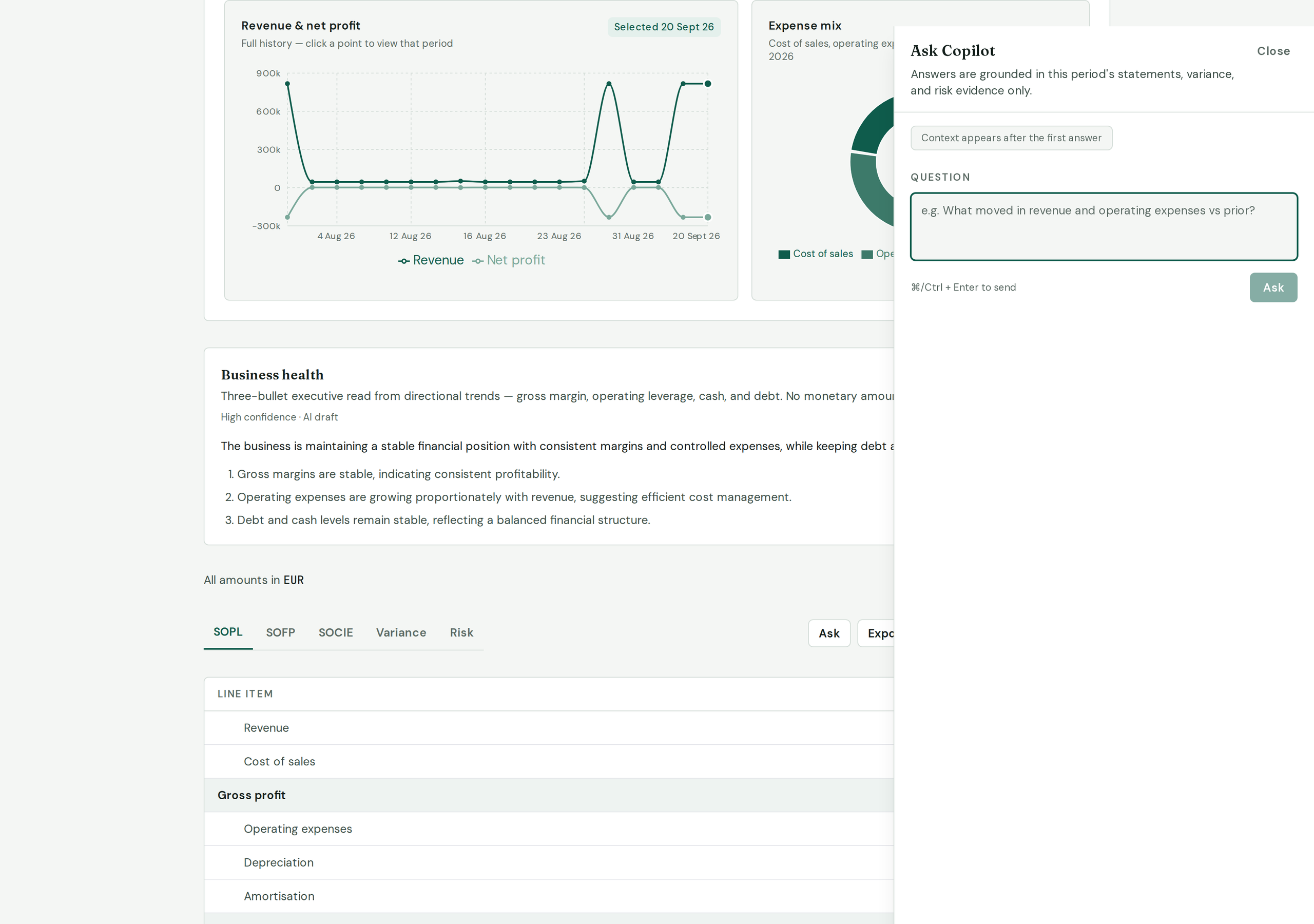
After generate: performance and business health above; SOPL, SOFP, SOCIE, Variance, and Risk below. Ask opens grounded Q&A for this period.
Built on a hard rule
“Python does the math. The model does the narrative. Never the reverse.”
Every statement figure traces to source TB rows. AI never invents amounts, never invents variance, and never answers outside this period’s evidence. That’s how practices can trust the pack.
Built for people who live in month-end.
- Small and mid-size accounting practices doing regular management accounts
- Fractional CFOs with several similar clients on comparable charts
- Teams tired of maintaining one master spreadsheet per client
Best fit: clients where a standard chart maps cleanly to management lines. Messy or highly bespoke charts still work — you’ll just spend longer on mapping review.
Start with your next trial balance.
Create an account, upload a client TB, confirm mappings, and review the pack — usually in the time you’d spend fighting a template.
Questions, answered plainly
- Is this just another AI wrapper?
- No. Statements and variance come from a deterministic engine on confirmed mappings — every figure traces to source trial-balance rows. AI suggests mappings and drafts commentary; it never calculates amounts, invents movements, or freelances outside this period’s evidence. Ask runs over an evidence graph, not a blank chat on your books.
- Do I need to connect to Xero or QuickBooks?
- No. Upload the trial balance export you already have.
- What file formats?
- .xlsx and .csv for trial balances. General ledgers and PDF trial balances are supported in the upload flow.
- Does AI map everything automatically?
- It suggests mappings; you confirm before statements generate. Unmapped or low-confidence lines need a human decision.
- Can I use this for audit or Companies House filing?
- No. Internal management review only.
- Can I ask about next year or forecasts?
- No. Ask only uses evidence for the selected period. Out-of-scope questions get a clear refusal, not a guess.